Excel Tutorial
Excel tutorials, quizzes & AI guides — all levels
RSS
  • Online Excel Exercises
  • Training
  • Excel Tests
  • Sitemap
  • Premium Quizzes
  • Shop
  • My account

Chart

Weighted and exponential moving average in Excel

Weighted and Exponential Moving Average in Excel

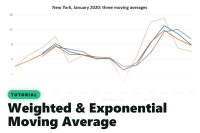
Give more weight to recent days: calculate a weighted moving average with SUMPRODUCT and an exponential one in Excel, and see which reacts faster.
Add a new line to an Excel chart with Ctrl+V

How to Add a New Line to an Excel Chart with Copy-Paste

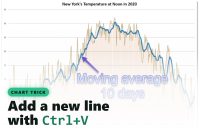
No menu needed: copy a column, click the chart, paste. The data appears as a new line. A simple Excel trick, shown step by step.
Percentage in excel chart label

Percentage Data Label in Your Excel Chart

Learn how to add percentage chart labels in Excel with this simple tutorial. Improve your data visualization skills today!
Update data chart automatically

How to Update your chart Series automatically?

Learn the trick to update your chart series automatically when you add new data to your source. No formula is needed.
Man and woman chart

How to create a chart Man & Woman in Excel?

Learn how to create an eye-catching man and woman chart in Excel. Follow this detailed guide to enhance your charting skills step by step.
Chart with Min and Max

How to display Min and Max in an Excel chart?

How to display the min and the max bars in an Excel chart? This step-by-step guide will explain the technique and it's very simple.
Waterfall chart

Waterfall chart in Excel

A waterfall chart is very helpful to visualize the impact of each product on the overall total. With Excel, it's easy to do.
Chart Population Pyramid

Population Pyramid with Excel

This tutorial is a step-by-step guide to creating a population pyramid in Excel. In only 6 steps, you will create your population pyramid.
Radar chart added to your workbook

Radar chart in Excel

Visualize survey data with an Excel radar chart. Easily compare individual responses to the average and gain valuable insights.
Chart moving average 10 days

Calculate Moving Average in Excel

Calculate a moving average in Excel with the AVERAGE function: smooth out daily spikes, see the real trend on your chart, and avoid the $ trap.
Gantt Chart in Excel cover

How to create a Gantt Chart with Excel?

A Gantt chart, helps you to visualize the time needed to realize actions. Learn how to build a Gantt chart with Excel steps by steps
Sunburst Chart

Sunburst Chart with Excel

A Sunburst chart is useful to visualize the hierarchy of your data. You can use it for your folders or organization.

Categories

  • AI & Excel (3)
  • Conditional (13)
  • Conditional Formatting (18)
  • Date (48)
  • Dynamic Arrays (10)
  • Excel Charts (12)
  • Excel Online (4)
  • Excel Tests (8)
  • Excel Training (13)
  • Excel Tutorial (16)
  • Expert (26)
  • Finance (7)
  • Free Excel Tutorial for beginners (29)
  • Function (1)
  • Intermediate Excel Skills: Tutorials and Articles (19)
  • Lookup functions (14)
  • Manage data (18)
  • Maps and GPS (5)
  • Pivot Table (10)
  • Power Query (6)
  • Quiz Premium (7)
  • Shortcuts (5)
  • Statistical functions (27)
  • Text functions (21)
  • Tips and Tricks (22)

Chart

Weighted and Exponential Moving Average in Excel

Weighted and exponential moving average in Excel

How to Add a New Line to an Excel Chart with Copy-Paste

Add a new line to an Excel chart with Ctrl+V

Percentage Data Label in Your Excel Chart

Percentage in excel chart label

How to Update your chart Series automatically?

Update data chart automatically

How to create a chart Man & Woman in Excel?

Man and woman chart

How to display Min and Max in an Excel chart?

Chart with Min and Max

Waterfall chart in Excel

Waterfall chart

Population Pyramid with Excel

Chart Population Pyramid

Radar chart in Excel

Radar chart added to your workbook

Calculate Moving Average in Excel

Chart moving average 10 days

How to create a Gantt Chart with Excel?

Gantt Chart in Excel cover

Sunburst Chart with Excel

Sunburst Chart

Contact us
About me 
Privacy Policy

© 2022 – 2026 – excel-tutorial.com. All Rights Reserved.
Excel Tutorial is managed by majordome du net

Contact us
About me 
Privacy Policy

© 2022 – 2026 – excel-tutorial.com. All Rights Reserved.
Excel Tutorial is managed by majordome du net