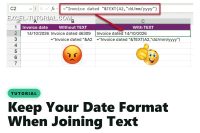
Joining a date to text in Excel gives a number like 46309. Wrap the date in the TEXT function to keep its format, and avoid the language trap.
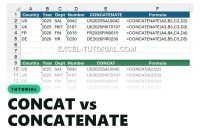
CONCAT accepts a whole range, CONCATENATE needs every cell one by one. See what changed, which one to use, and the Excel version trap.
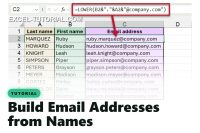
Build firstname.lastname@company.com for a whole staff list with one Excel formula, the short version with LEFT, or Flash Fill with no formula at all.

CONCAT glues cells together, TEXTJOIN adds a separator and skips the empty ones. See the difference in one table, then practise with a free exercise.

Learn how to use the LEN function in Excel to count characters in a string, data validation, and conditional formatting.

The TEXTSPLIT function in Excel 365 helps split text dynamically based on delimiters, saving time and effort.

Learn how to use the TEXTBEFORE and TEXTAFTER functions in Excel 365 to extract complex text parts effortlessly.

Discover the power of the SEARCH function in Excel. Find and extract specific text within larger strings for efficient data analysis.

Discover the new Excel 365 TRANSLATE function that simplifies text translation into another language in this article.

Discover the easiest way to split text on a delimiter without using a formula. The Text to Columns tool does the job.

Discover how to split text in Excel using the MID function and an array pattern. Simplify data manipulation and achieve better results.

With Excel, you can extract a sub-string without writing formulas with the FlashFill. FlashFill is the first AI tool in Excel

What does mean the sign & in Excel? This sign is very important in many situation to link 2 cells together.

Clean up your Excel data with the TRIM function. Learn how to remove extra spaces before and after strings to ensure data accuracy.

Learn how to easily convert numbers to Roman numerals in Excel using the ROMAN function. Ideal for titles, outlines, and more.

Learn how to use Excel functions LEFT, RIGHT, and MID to extract specific parts of text and efficiently organize data.

Want to count words in Excel? Check out these two techniques using the TEXTSPLIT function and the COUNTA function.

Keep the leading 0 in Excel is important when you want to keep all the digits of your strings and to avoid mistakes

Want to extract numbers from cells with mixed characters? Discover the step-by-step process using the SEQUENCE and FILTER functions.

Discover How to Extract Only the Unique Values of a list of data in Excel with the UNIQUE function.

Find out how to capitalize the first letter in Excel using three powerful tools: PROPER function, Power Query, and macros.


