
Find out how to compare columns in Excel and identify missing values or return only missing values with efficient formulas.

Get a comprehensive understanding of the VLOOKUP function in Excel. Learn how to perform efficient searches in your tables.

Discover why the VLOOKUP function returns an #N/A error in Excel. Learn the common causes and how to quickly fix VLOOKUP errors.

Explore advanced Excel techniques to overcome VLOOKUP limitations and retrieve data from the left with XLOOKUP or INDEX/MATCH.
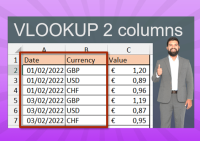
Master the technique of searching in 2 columns in Excel. Say goodbye to the limitations of VLOOKUP and discover the power of XLOOKUP.

Discover a better way to find a value between two values in Excel. Learn how VLOOKUP and XLOOKUP functions can simplify your search.

Learn how the XLOOKUP function in Excel 365 simplifies data lookup in tables. Find out how it improves VLOOKUP and handles errors better.

How to convert a list of data to a double-entry table? Only one function is needed to do the job. See the technique in this article

Learn how to create a dynamic VLOOKUP with the MATCH function and customize your search criteria to return accurate results in Excel.

Unlock the secrets of finding duplicate values in Excel effortlessly. Find out how to use FILTER and COUNTIF functions

Learn how to use the INDEX function in Excel. Step-by-step guide for beginners and experts to improve your data analysis skills.

When you have many times the same ID in your table, the following formula will help you to create a lookup offset.

The MATCH function returns the position of an item in a list. This function is very useful to create DYNAMIC dashboard and formulas

Discover how you can transform your worksheet to anonymise your data in the case you have sensitive data. 5 steps are needed


