Excel Tutorial
Excel tutorials, quizzes & AI guides — all levels
RSS
  • Online Excel Exercises
  • Training
  • Excel Tests
  • Sitemap
  • Premium Quizzes
  • Shop
  • My account

VBA

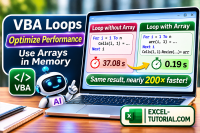
VBA loops: a loop with an array in memory runs in 0.19 s instead of 37.08 s

VBA Secrets the AI Doesn’t Tell You: Your Loop Is Too Slow

The AI writes VBA loops that read and write cells one by one. Use an array in memory instead: one read, one write, and a macro many times faster.
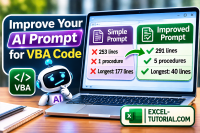
Improve your AI prompt for VBA code: simple prompt versus improved prompt

Optimize Your AI Prompts for VBA

The AI writes VBA in one long procedure. Add a few lines to your prompt to get a structured macro: one main procedure, short steps, no GoTo.
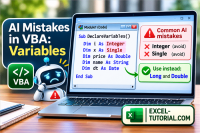
AI VBA variable mistakes: Integer and Single instead of Long and Double

Why AI Gets VBA Variables Wrong

Why you must declare your VBA variables, and why you should use Long and Double instead of the Integer and Single types the AI keeps giving you.
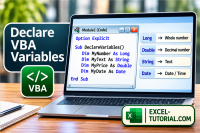
How to Declare Variables in VBA

How to Declare Variables in VBA

Why declare variables in VBA? Use Option Explicit, choose the right type (Long, Double, String, Date), give clear names and use Ctrl + Space.
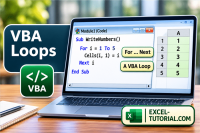
What Is a Loop in VBA?

What Is a Loop in VBA?

What is a loop in VBA? See how For … Next writes the same line only once, and how Do While works when you don't know the number of rows.
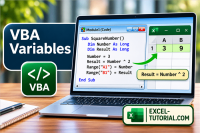
What Is a Variable in VBA?

What Is a Variable in VBA?

What is a variable in VBA? See why Range("A2") always writes in the same cell, and how a variable lets the same line of code write in many cells.
What Is a Program in VBA?

What Is a Program in VBA?

What is a program in VBA? How a line of code is read, what Visual Basic for Applications means, and a first Excel example with Range and Cells.
What Is a Function in VBA?

What Is a Function in VBA?

What is a function in VBA and how is it different from a procedure? A simple example with the volume of a sphere, and what to ask the AI.
What Is a Procedure (Sub) in VBA?

What Is a Procedure (Sub) in VBA?

What a VBA procedure (Sub) is, explained simply: what it can do for you, how to write it, run it and call it from another procedure.
First Steps with VBA: Discover the VBA Editor

First Steps with VBA: Discover the VBA Editor

Your first steps with VBA: open the editor, understand its windows, write code in a module, organize a project and run your first macro.
Calendar data saving cover

Excel Calendar with Automatic Monthly Data Saving 📅

Discover our Excel calendar data saving method. With our user-friendly template, you can effortlessly track and save timesheet updates.
Unblock file with macros

Microsoft has blocked macros from running

Understanding why Microsoft blocks macros in Excel and how to adjust the security settings to enable macros safely.
Youtube Cover Excel Coach Sportif

Excel as a sports coach

Do you know that Excel can be your new sports coach? No? But in reality, it's very easy. Copy for free the code and you will have your coach at home
Excel starts with your custom parameters

Custom Start of Excel (font, color, format)

Learn how to start Excel with custom parameters. Step-by-step guide for beginners and experts to optimize your Excel experience.
Column Number for date calculated

Explanation of the VBA code for the calendar

Each lines of the VBA code for the automatic calendar explain in detail.
Automatic Calendar 17 1

How to make automatic calendar in Excel

This article present how can create an automatic calendar in excel to avoid and refresh manually your worksheet, step by step. Tutorial video available.
Categories

  • AI & Excel (7)
  • Conditional (13)
  • Conditional Formatting (18)
  • COUNTIF & SUMIF Training (15)
  • Date (48)
  • Dates & Time Training (14)
  • Dynamic Arrays (10)
  • Excel Basics Training (7)
  • Excel Charts (12)
  • Excel Online (4)
  • Excel Tests (8)
  • Excel Training (13)
  • Excel Tutorial (16)
  • Expert (26)
  • Finance (7)
  • Free Excel Tutorial for beginners (29)
  • Function (1)
  • IF & Logical Tests Training (14)
  • Intermediate Excel Skills: Tutorials and Articles (19)
  • Lookup functions (14)
  • Lookup Training (13)
  • Manage data (18)
  • Maps and GPS (5)
  • Pivot Table (10)
  • Power Query (6)
  • Quiz Premium (7)
  • Shortcuts (5)
  • Statistical functions (27)
  • Statistics Training (11)
  • Text functions (21)
  • Text Functions Training (16)
  • Tips and Tricks (22)
  • VBA (7)

VBA

VBA Secrets the AI Doesn’t Tell You: Your Loop Is Too Slow

VBA loops: a loop with an array in memory runs in 0.19 s instead of 37.08 s

Optimize Your AI Prompts for VBA

Improve your AI prompt for VBA code: simple prompt versus improved prompt

Why AI Gets VBA Variables Wrong

AI VBA variable mistakes: Integer and Single instead of Long and Double

How to Declare Variables in VBA

How to Declare Variables in VBA

What Is a Loop in VBA?

What Is a Loop in VBA?

What Is a Variable in VBA?

What Is a Variable in VBA?

What Is a Program in VBA?

What Is a Program in VBA?

What Is a Function in VBA?

What Is a Function in VBA?

What Is a Procedure (Sub) in VBA?

What Is a Procedure (Sub) in VBA?

First Steps with VBA: Discover the VBA Editor

First Steps with VBA: Discover the VBA Editor

Excel Calendar with Automatic Monthly Data Saving 📅

Calendar data saving cover

Microsoft has blocked macros from running

Unblock file with macros

Excel as a sports coach

Youtube Cover Excel Coach Sportif

Custom Start of Excel (font, color, format)

Excel starts with your custom parameters

Explanation of the VBA code for the calendar

Column Number for date calculated

How to make automatic calendar in Excel

Automatic Calendar 17 1

Contact us
About me 
Privacy Policy

© 2022 – 2026 – excel-tutorial.com. All Rights Reserved.
Excel Tutorial is managed by majordome du net

Contact us
About me 
Privacy Policy

© 2022 – 2026 – excel-tutorial.com. All Rights Reserved.
Excel Tutorial is managed by majordome du net