
Learn how to find the top 5 values or the last 5 values from a list in Excel using the TAKE function and SORT function.

Get a comprehensive understanding of the VLOOKUP function in Excel. Learn how to perform efficient searches in your tables.

Learn how to use the IF function in Excel. Get step-by-step instructions, examples, and tips for mastering this essential function.

Discover the top 10 Excel functions you should know. From SUM to IF and COUNTIF, learn how to boost your productivity in Excel.
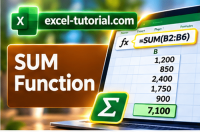
Get ready to level up your Excel game with our in-depth course on the SUM function. From basics to advanced techniques.
The assessment consists of 10 questions drawn from a pool of 50, designed to assess your proficiency in Excel functions

With Excel, you can extract a sub-string without writing formulas with the FlashFill. FlashFill is the first AI tool in Excel

Learn how to move cells in Excel with the mouse quickly and easily, step-by-step. This guide is perfect for beginners and experts alike.

Become an Excel master with this handy Excel trick to highlight missing values using conditional formatting and no formula.

Clean up your Excel data with the TRIM function. Learn how to remove extra spaces before and after strings to ensure data accuracy.

Excel can fill series of numbers or dates automatically. Three techniques can be used. Here are the explanations.

Learn how to use Excel functions LEFT, RIGHT, and MID to extract specific parts of text and efficiently organize data.

Discover how to use the SUMIFS function in Excel to filter and sum data based on multiple criteria in your worksheets

Learn how to perform basic calculations in Excel with ease. Follow simple rules and formulas to avoid mistakes and get accurate results.

SUM is the most used Excel function. There is nothing complex to use this function but there is also tricks behind this function

Discover the tips and tricks to move or copy a worksheet in the same workbook or in a new one. All explanations with animated gif.

Master the F9 shortcut in Excel to perform formula audits. Quickly analyze each part of your formula to ensure accuracy.

Discover a playlist of videos to learn the best Excel shortcuts ever.

How to copy data and reuse them (paste) in other Excel cells? You can copy and paste text, numbers, and formula

This page illustrates various methods for utilizing Paste Special in Excel, applicable across all Excel versions.


