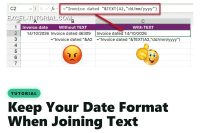
Joining a date to text in Excel gives a number like 46309. Wrap the date in the TEXT function to keep its format, and avoid the language trap.
Easily convert dates from the format YYYYMMDD to DD/MM/YYYY in Excel using this simple formula or the Text to Column tool.
Discover our Excel calendar data saving method. With our user-friendly template, you can effortlessly track and save timesheet updates.
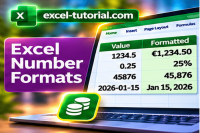
Mastering number formatting in this tutorial. Learn how to format numbers for different purposes with step-by-step guides and examples.
How to display date and time together in the same cell using custom number formatting. This tutorial explains you the steps
Learn the simple trick to display months in letters instead of numbers in your Excel date. Clear instructions and examples
Learn how to convert a text date, like '1 January 2023', to a number date format using Excel. Easily convert text dates to numerical values.
How to add days to a date excluding the weekend? In Excel, one function exists to do the job without mistakes.
Discover how you can display time over 24 hours in your worksheets. You just have to customize the number format of your cells.
Learn how to effortlessly change the default date format in Excel using these instructions. Enhance your Excel experience with this guide.
Discover how to customize your date format in Excel easily by changing the day, month, or year. There are many examples.
Discover how to separate date and time in Excel with ease. Use the INT and subtraction functions to extract the desired values.
The function DATE is very useful to create your custom dates. This article will explain you how the function works
How to convert the GPS coordinates (latitude- longitude) in degree, minute, seconde and also the other way round. The solution is the custom number format.