Excel Tutorial
Excel tutorials, quizzes & AI guides — all levels
RSS
  • Online Excel Exercises
  • Training
  • Excel Tests
  • Sitemap
  • Premium Quizzes
  • Shop
  • My account

COUNTIF

Learn how to use the COUNTIF function in Excel to count cells based on specific conditions. Whether you need to count sales over a certain value, track completed tasks, or find duplicate entries, this function makes it easy. Check out the article to see practical examples and step-by-step instructions!

averageif sales quiz44

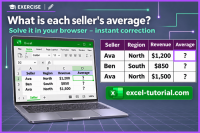
Staff Performance Exercise (SUMIF, COUNTIF, AVERAGEIF)

Excel exercise on staff performance: total, count and average revenue per employee with SUMIF, COUNTIF and AVERAGEIF. Instant correction.
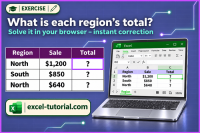
countif sumif market quiz54

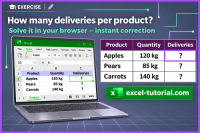
Fresh Produce Order Exercise (Single Criterion)

Excel COUNTIF and SUMIF exercise: count and total fresh produce deliveries with one criterion. Instant correction.
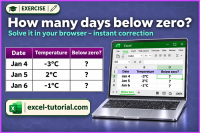
countif operators weather quiz50

COUNTIF Exercise: Weather Analysis (Simple Criteria)

Excel COUNTIF exercise on a weather log: count frosts, rainy and snow days with simple criteria and operators. Instant correction.
summary table sales quiz72

Exercise: Sales Summary by Region and Product

Excel exercise: build a sales summary by region and product with SUMIF, COUNTIF and the $ sign. Instant correction.
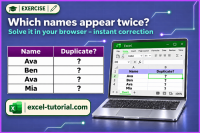
find duplicates quiz49

COUNTIF Training: Find Duplicates

Excel COUNTIF training: find duplicates in a list with COUNTIF, a logical test and IF. Instant correction.
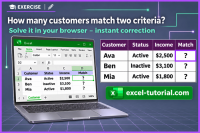
countifs customers quiz52

COUNTIFS Practice: Count with Two Criteria

Practice COUNTIFS in Excel: count customers on 2 criteria at once – status, children, income, email. 8 questions with instant correction.
countif operators customers quiz51

COUNTIF Training: Count Above a Threshold

Practice COUNTIF with operators in Excel: greater than, less than, or equal, not equal, and non-empty cells. 8 questions with instant correction.
countif customers quiz48

COUNTIF Exercise: Count the Customers

Free Excel COUNTIF exercise: count customers on a text, a number, zero or empty cells, with or without a cell reference. Instant correction.
Group by 15 minute intervals

Group Data per 15 Minute Interval in Excel

Explore techniques to group your time data in Excel with 15-minute intervals for enhanced analysis and reporting.
GROUPY function cover

GROUPBY vs SUMIF in Excel

Discover how the GROUPBY function simplifies Excel data analysis by replacing complex COUNTIF and SUMIF formulas effortlessly.
GROUPY function cover

GROUPBY function: The future of COUNTIF and SUMIF

Find out how to build and use the GROUPBY function in Excel 365. Group data, calculate summaries, and update instantly.
COUNTIF function cover

COUNTIF Function in Excel: A Must-Know Function

Master the COUNTIF function: Learn how to analyze and count data with this essential Excel function quickly.
Countifs function Cover

COUNTIFS Function: Mastering Multi-Criteria Counting

Learn how to use the powerful COUNTIFS function in Excel. Count rows that meet multiple conditions for accurate data analysis.
Compare 2 columns cover

Compare Two Columns in Excel Easily

Find out how to compare columns in Excel and identify missing values or return only missing values with efficient formulas.
Countifs function Cover

Test Your Skills with COUNTIF and COUNTIFS

Test your COUNTIF and COUNTIFS skills in Excel: write the formulas yourself in a real spreadsheet, checked as you type. Free exercise.
How to find duplicates values

Find duplicate values in Excel by formula?

Unlock the secrets of finding duplicate values in Excel effortlessly. Find out how to use FILTER and COUNTIF functions
Change the color of weekends cover

Change the Color of Weekends in Excel 🗓️🎨

Change the color of weekends in Excel with conditional formatting. Quick and easy with this step-by-step guide.
Categories

  • AI & Excel (7)
  • Conditional (13)
  • Conditional Formatting (18)
  • COUNTIF & SUMIF Training (15)
  • Date (48)
  • Dates & Time Training (14)
  • Dynamic Arrays (10)
  • Excel Basics Training (7)
  • Excel Charts (12)
  • Excel Online (4)
  • Excel Tests (8)
  • Excel Training (13)
  • Excel Tutorial (16)
  • Expert (26)
  • Finance (7)
  • Free Excel Tutorial for beginners (29)
  • Function (1)
  • IF & Logical Tests Training (14)
  • Intermediate Excel Skills: Tutorials and Articles (19)
  • Lookup functions (14)
  • Lookup Training (13)
  • Manage data (18)
  • Maps and GPS (5)
  • Pivot Table (10)
  • Power Query (6)
  • Quiz Premium (7)
  • Shortcuts (5)
  • Statistical functions (27)
  • Statistics Training (11)
  • Text functions (21)
  • Text Functions Training (16)
  • Tips and Tricks (22)
  • VBA (7)

COUNTIF

Staff Performance Exercise (SUMIF, COUNTIF, AVERAGEIF)

averageif sales quiz44

Fresh Produce Order Exercise (Single Criterion)

countif sumif market quiz54

COUNTIF Exercise: Weather Analysis (Simple Criteria)

countif operators weather quiz50

Exercise: Sales Summary by Region and Product

summary table sales quiz72

COUNTIF Training: Find Duplicates

find duplicates quiz49

COUNTIFS Practice: Count with Two Criteria

countifs customers quiz52

COUNTIF Training: Count Above a Threshold

countif operators customers quiz51

COUNTIF Exercise: Count the Customers

countif customers quiz48

Group Data per 15 Minute Interval in Excel

Group by 15 minute intervals

GROUPBY vs SUMIF in Excel

GROUPY function cover

GROUPBY function: The future of COUNTIF and SUMIF

GROUPY function cover

COUNTIF Function in Excel: A Must-Know Function

COUNTIF function cover

COUNTIFS Function: Mastering Multi-Criteria Counting

Countifs function Cover

Compare Two Columns in Excel Easily

Compare 2 columns cover

Test Your Skills with COUNTIF and COUNTIFS

Countifs function Cover

Find duplicate values in Excel by formula?

How to find duplicates values

Change the Color of Weekends in Excel 🗓️🎨

Change the color of weekends cover

Contact us
About me 
Privacy Policy

© 2022 – 2026 – excel-tutorial.com. All Rights Reserved.
Excel Tutorial is managed by majordome du net

Contact us
About me 
Privacy Policy

© 2022 – 2026 – excel-tutorial.com. All Rights Reserved.
Excel Tutorial is managed by majordome du net