Excel Tutorial
Excel tutorials, quizzes & AI guides — all levels
RSS
  • Online Excel Exercises
  • Training
  • Excel Tests
  • Sitemap
  • Premium Quizzes
  • Shop
  • My account

Text functions

The Text Functions category covers essential Excel functions for manipulating and analyzing text data. Learn how to extract, format, split, and clean text using LEFT, RIGHT, MID, TEXT, CONCAT, TEXTJOIN, FIND, SEARCH, and more. Whether you’re working with names, addresses, or structured data, these functions help automate text processing and improve data accuracy. Explore our tutorials, examples, and tips to master text handling in Excel!
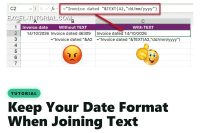
Keep your date format when joining text in Excel

Keep Your Date Format When Joining Text in Excel

Joining a date to text in Excel gives a number like 46309. Wrap the date in the TEXT function to keep its format, and avoid the language trap.
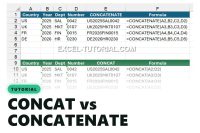
CONCAT vs CONCATENATE in Excel

CONCAT vs CONCATENATE in Excel: What Actually Changed

CONCAT accepts a whole range, CONCATENATE needs every cell one by one. See what changed, which one to use, and the Excel version trap.
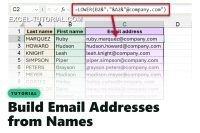
Build email addresses from names in Excel

Build Email Addresses from First and Last Name in Excel

Build firstname.lastname@company.com for a whole staff list with one Excel formula, the short version with LEFT, or Flash Fill with no formula at all.
When to use the LEN function of Excel

Excel LEN Function Explained

Learn how to use the LEN function in Excel to count characters in a string, data validation, and conditional formatting.
Highlight Capitalize First Letter

Capitalize the first letter in Excel (Camel Case)

Find out how to capitalize the first letter in Excel using three powerful tools: PROPER function, Power Query, and macros.
Title with text and date in the same cell

Title with Text and Date in the same cell

Learn how to use the TEXT function in Excel to format numbers and keep the desired number format inside a string.

Categories

  • AI & Excel (3)
  • Conditional (13)
  • Conditional Formatting (18)
  • Date (48)
  • Dynamic Arrays (10)
  • Excel Charts (12)
  • Excel Online (4)
  • Excel Tests (8)
  • Excel Training (13)
  • Excel Tutorial (16)
  • Expert (26)
  • Finance (7)
  • Free Excel Tutorial for beginners (29)
  • Function (1)
  • Intermediate Excel Skills: Tutorials and Articles (19)
  • Lookup functions (14)
  • Manage data (18)
  • Maps and GPS (5)
  • Pivot Table (10)
  • Power Query (6)
  • Quiz Premium (7)
  • Shortcuts (5)
  • Statistical functions (27)
  • Text functions (21)
  • Tips and Tricks (22)

Text functions

Keep Your Date Format When Joining Text in Excel

Keep your date format when joining text in Excel

CONCAT vs CONCATENATE in Excel: What Actually Changed

CONCAT vs CONCATENATE in Excel

Build Email Addresses from First and Last Name in Excel

Build email addresses from names in Excel

Excel LEN Function Explained

When to use the LEN function of Excel

Capitalize the first letter in Excel (Camel Case)

Highlight Capitalize First Letter

Title with Text and Date in the same cell

Title with text and date in the same cell

Contact us
About me 
Privacy Policy

© 2022 – 2026 – excel-tutorial.com. All Rights Reserved.
Excel Tutorial is managed by majordome du net

Contact us
About me 
Privacy Policy

© 2022 – 2026 – excel-tutorial.com. All Rights Reserved.
Excel Tutorial is managed by majordome du net