You keep hearing both terms: prompt and agent. They're not the same thing — and understanding the difference will change how you use AI in Excel.
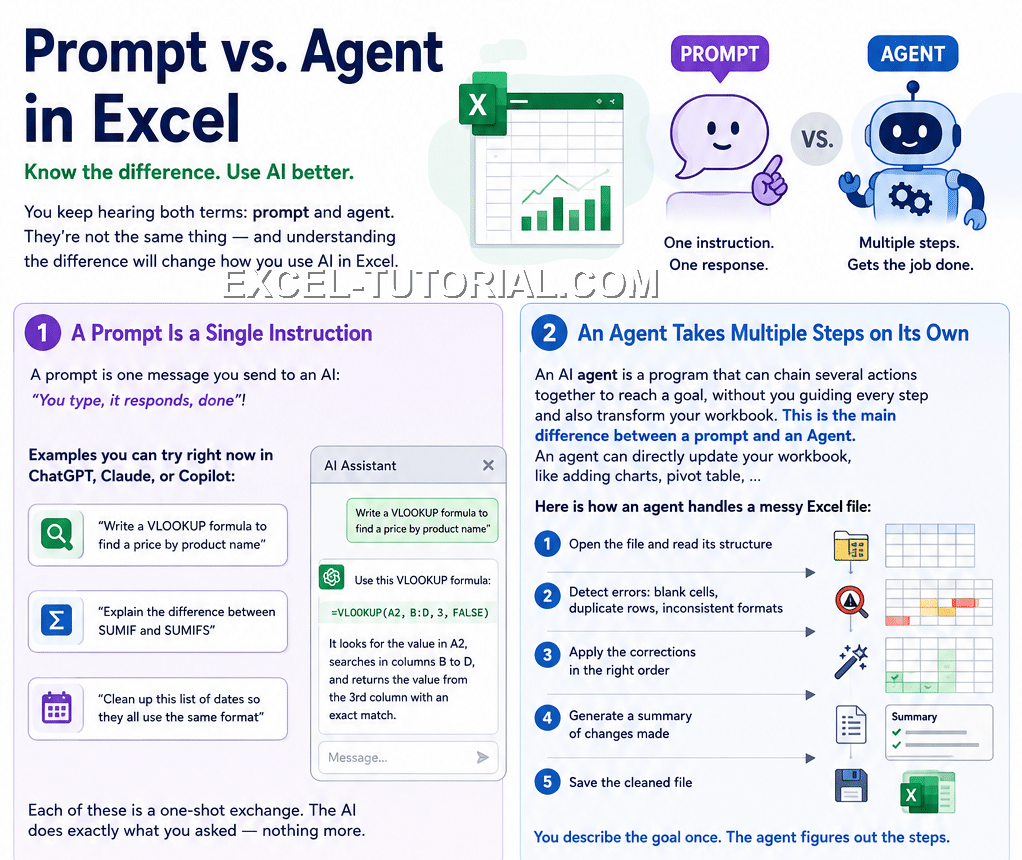
A Prompt Is a Single Instruction
A prompt is one message you send to an AI: "You type, it responds, done"!
Examples you can try right now in ChatGPT, Claude, or Copilot:
- "Write a VLOOKUP formula to find a price by product name"
- "Explain the difference between SUMIF and SUMIFS"
- "Clean up this list of dates so they all use the same format"
Each of these is a one-shot exchange. The AI does exactly what you asked — nothing more.
An Agent Takes Multiple Steps on Its Own
An AI agent is a program that can chain several actions together to reach a goal, without you guiding every step and also transform your workbook. This is the main difference between a prompt and an Agent. An agent can directly update your workbook, like adding charts, pivot tables, ...
Here is how an agent handles a messy Excel file:
- Open the file and read its structure
- Detect errors: blank cells, duplicate rows, inconsistent formats
- Apply the corrections in the right order
- Generate a summary of changes made
- Save the cleaned file
You describe the goal once. The agent figures out the steps.
Which Tool Does Which?
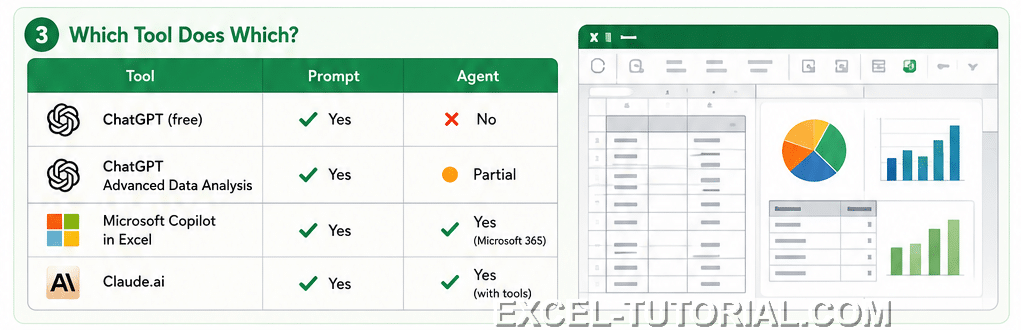
| Tool | Prompt | Agent |
|---|---|---|
| ChatGPT (free) | Yes | No |
| ChatGPT Advanced Data Analysis | Yes | Partial |
| Microsoft Copilot in Excel | Yes | Yes (Microsoft 365) |
| Claude.ai | Yes | Yes (with tools) |
When to Use Each
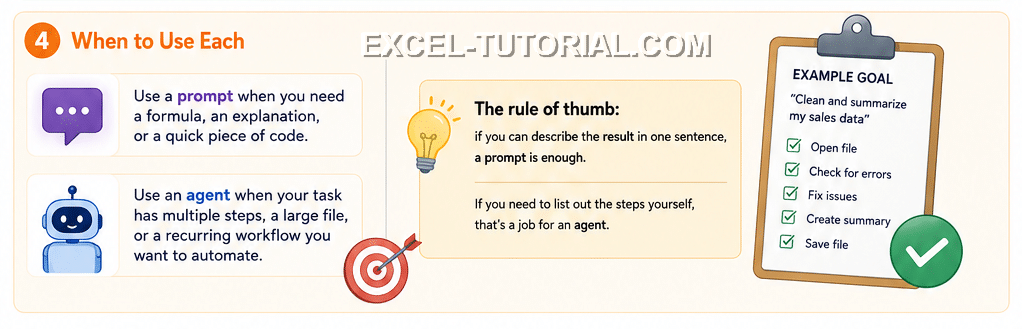
- Use a prompt when you need a formula, an explanation, or a quick piece of code.
- Use an agent when your task has multiple steps, a large file, or a recurring workflow you want to automate.
The rule of thumb: if you can describe the result in one sentence, a prompt is enough. If you need to list out the steps yourself, that's a job for an agent.